
GLACEEMR | SCHEDULING
A Scheduler That Protects Every Open Slot
Multi-provider, multi-location, drag-and-drop. Waitlist and recall campaigns. GlaceIQ fills the no-show, and GlacePhoneSmart books after the front desk has gone home. An empty chair is lost revenue you never get back.
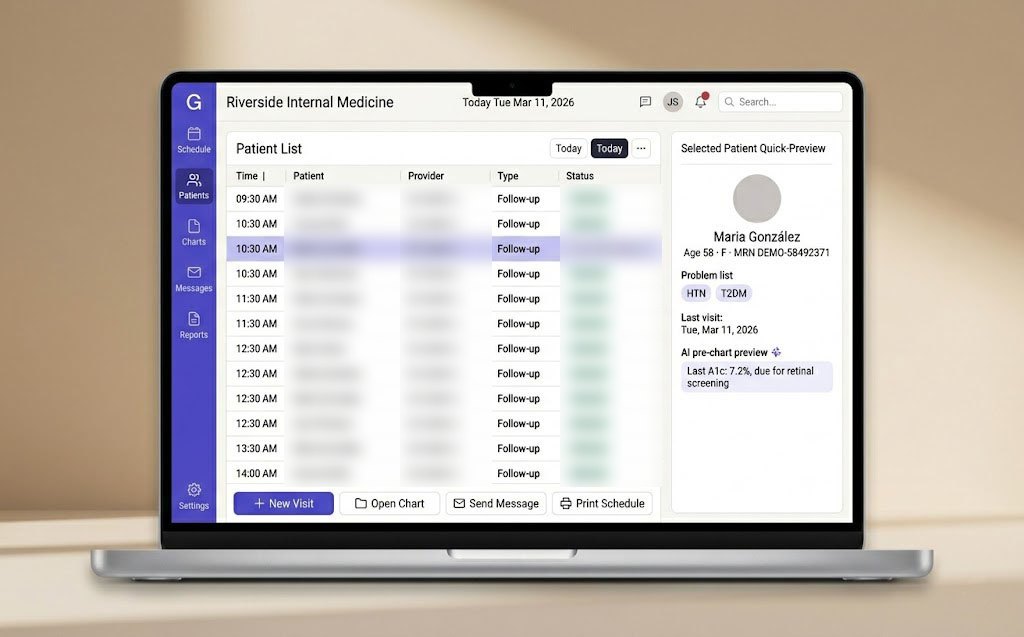
WHERE THE SCHEDULE LEAKS
The Open Chair Is the Most Expensive Thing in the Building
A no-show is not just a gap in the day; it is a slot a waiting patient could have filled. Four leaks show up on almost every practice’s calendar, and each one is capacity you paid for and did not use.
The 9:15 no-show stays empty
A cancellation opens at 8:50 for a 9:15 slot. By the time anyone notices, the patient who waited four weeks never got the call, and the chair sits empty.
Recall lives in a spreadsheet
The overdue diabetics, the annual physicals, the post-procedure follow-ups: tracked by hand on a list someone updates when there is time, which there never is.
After-hours calls go to voicemail
A patient ready to book at 7 PM hits a recording, decides to call back tomorrow, and forgets. The appointment that wanted to happen never lands on the calendar.
Two locations, two calendars
A provider splits time across sites, the front desk juggles separate views, and the double-booked Thursday only surfaces when both patients are in the waiting room.
WHAT THE SCHEDULER DOES
One Calendar for the Whole Practice
Scheduling is part of GlaceEMR, not a separate product to integrate, and it ties straight into the chart so the slot, the visit type, and the documentation line up. Every capability below is in the platform today.
Multi-provider, multi-location
Day, week, and month views across every provider and every site in one place. A provider who splits time between two locations has one calendar, and the front desk sees the whole practice at a glance.
Drag-and-drop with templates
Move an appointment by dragging it. Appointment types carry their own duration, room, and color, so the schedule reads at a glance and a 15-minute follow-up never lands in a 40-minute physical slot.
Waitlist that fills cancellations
Patients who want an earlier appointment sit on a waitlist tied to the calendar. When a slot opens, the right waiting patient is matched to it instead of the chair going empty for the day.
Recall and preventive campaigns
Overdue annuals, chronic-care follow-ups, and preventive screenings are tracked by the chart, not a spreadsheet, and recall outreach pulls the right patients onto tomorrow’s schedule.
GlaceIQ schedule maximization
GlaceIQ matches the 9:15 no-show to the patient who has waited four weeks and surfaces preventive-care openings. It suggests the fill; your staff confirms it. The judgment stays with the front desk.
Patient self-scheduling
Patients book from the portal, the mobile app, or a website embed, into real availability with your rules applied. The slot they pick is a slot you actually offer, so there is nothing to reconcile afterward.
Included with GlaceEMR vs usually an add-on
Scheduling capabilities that arrive as separate products almost everywhere else ship with GlaceEMR, with no per-location upcharge.
| Capability | Most EMRs | GlaceEMR |
|---|---|---|
| Multi-location single calendar | Per-location license | Included, no upcharge |
| Waitlist and cancellation fill | Add-on module | Included |
| Recall and preventive-care campaigns | Separate engagement vendor | Included |
| Online patient self-scheduling | Third-party booking widget | Included, your rules |
| AI no-show backfill | Not available | Included with GlaceIQ |
| After-hours phone booking | Answering service | Optional with GlacePhoneSmart |
Appointment reminders go out by SMS and email, so the confirmed visit is more likely to actually show, and the no-show you do get is caught early enough to backfill.
CANCELLATION TO BACKFILL
How an Empty Slot Gets Filled Again
A cancellation opens a slot, GlaceIQ matches it to the best waitlist or recall candidate, outreach goes out by text and email, the patient confirms, and the chair is full again. Your front desk reviews and approves the match; the AI surfaces it, and the staff decides. After hours, GlacePhoneSmart can take the booking and put it straight onto the calendar.
WHAT CHANGES ON THE FLOOR
The Front Desk Stops Babysitting the Calendar
A practice running on one calendar across every provider and location stops losing time to the small reconciliations that eat a receptionist’s morning. The double-book across two sites surfaces before it becomes two patients in the same waiting room. The 15-minute follow-up cannot accidentally land in a 40-minute physical slot, because the appointment type carries its own duration and color. The schedule reads at a glance, and the staff spends less of the day defending it against itself.
The recovery of empty slots is where the revenue shows up. Instead of a receptionist noticing a cancellation an hour late, GlaceIQ matches the opening to the patient who has waited the longest and drafts the outreach, and the front desk confirms the fill in a click. Recall for overdue annuals, chronic-care follow-ups, and preventive screenings runs off the chart rather than a spreadsheet somebody updates when there is time, so tomorrow’s gaps fill from the recall list today. The chair that used to sit empty after a no-show goes back into service the same morning.
After hours, the schedule keeps filling without anyone in the building. Patients self-schedule from the portal, the mobile app, or a website embed into the real availability your rules allow, and GlacePhoneSmart can answer the phone and book a caller into an open slot at 7 PM. The booking lands straight on the calendar with nothing to reconcile in the morning. Across a week, the appointments that used to leak to voicemail and forgotten callbacks end up on the schedule, and the capacity you already pay for actually gets used.
QUESTIONS WE HEAR
Scheduling FAQ
Short answers below; the longer conversation happens on the demo. Tap any question to expand.
Is scheduling part of GlaceEMR or a separate product?
Scheduling is built into GlaceEMR, not a separate product to license or integrate. It ties directly into the chart, so the appointment type drives the visit template, the slot duration matches the work, and the documentation lines up with what was booked. GlaceOffice handles practice administration such as HR, PTO, and credentials; the patient schedule lives in the clinical platform where the visit actually happens. There is no per-location upcharge, so a solo practice can grow to multiple sites on the same calendar.
How does GlaceIQ fill a no-show or cancellation?
When a slot opens, GlaceIQ matches it to the best candidate from your waitlist and recall list, weighing how long the patient has waited and what kind of visit fits the opening, then suggests outreach by text and email. It is a suggestion your front desk reviews and confirms, not an automatic rebooking. The AI surfaces the match and drafts the outreach; your staff decides who actually gets the slot. The empty chair gets filled without anyone watching the calendar minute by minute.
Can patients book appointments after the office closes?
Yes, two ways. Patients can self-schedule any time from the portal, the mobile app, or a website embed, into the real availability your rules allow. And GlacePhoneSmart, the voice AI option, can answer the phone after hours and book the caller into an open slot, so the patient ready to schedule at 7 PM lands on the calendar instead of leaving a voicemail. Your billing and clinical support team is reachable 7:00 AM to 8:00 PM Eastern, with 24×7 on-call coverage for urgent issues.
Does the scheduler handle providers who work across multiple locations?
Yes. A provider who splits time between sites has one calendar, and the front desk sees every provider and every location in a single view by day, week, or month. Appointment types carry their own duration, room, and color, so a 15-minute follow-up never lands in a 40-minute physical slot, and a double-book across two sites surfaces before it becomes two patients in the waiting room. The whole practice runs off one schedule.
Do patients get appointment reminders?
Yes. Reminders go out automatically by SMS and email, on the cadence you set. A confirmed visit is more likely to show, and a cancellation triggered by a reminder comes in early enough that the waitlist and GlaceIQ can backfill the slot the same day. Recall outreach for overdue annuals, chronic-care follow-ups, and preventive screenings runs on the same engagement tools, so the schedule fills forward instead of leaking.
See What Glenwood Can Do for Your Practice
A 20-minute working call. We show you the platform on your specialty’s actual workflows, not a generic demo.